728x90
반응형
저번 시간에는 플레이어와 적을 만들었다면 이번에는 칼 공격을 만들었습니다.
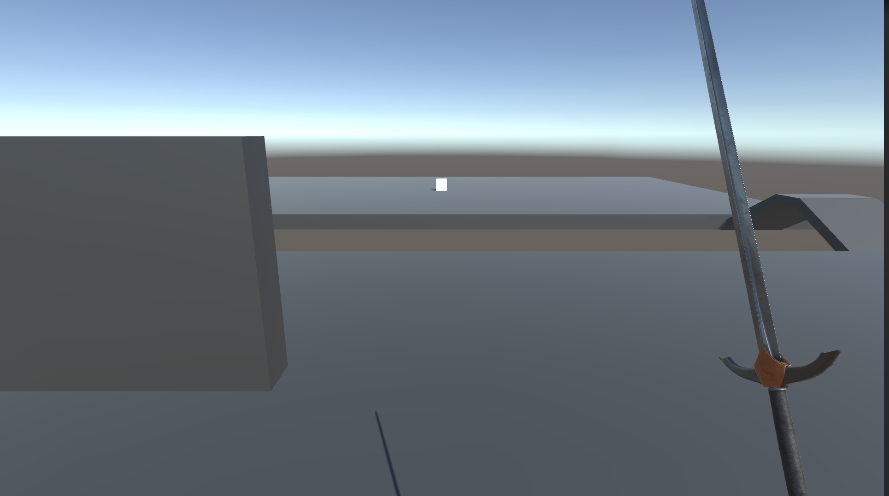
칼을 간단하게 구한 뒤, 세팅했습니다.
애니메이션을 총 3개 만들었습니다. Attack1, Attack2, Idle
그리고 Trigger로 Attack1, Attack2, Idle 3개 만들었습니다.
SwordAttack.cs
using System.Collections;
using System.Collections.Generic;
using UnityEngine;

public class SwordAttack : MonoBehaviour
{
    public Animator animator;
    public float attackRange = 1.5f;
    public LayerMask enemyLayer;
    public int attackComboMax = 2;

    private int attackCombo = 0;
    private float lastAttackTime;
    public float comboResetTime = 1.0f;
    private bool isAttacking = false;

    private void Update()
    {
        if (Input.GetMouseButtonDown(0) && !isAttacking)
        {
            Attack();
        }

        if (Time.time - lastAttackTime > comboResetTime)
        {
            attackCombo = 0;
            isAttacking = false;
            animator.SetTrigger("Idle");
        }
    }

    private void Attack()
    {
        isAttacking = true;
        attackCombo = (attackCombo % attackComboMax) + 1;
        lastAttackTime = Time.time;

        animator.SetTrigger("Attack" + attackCombo);
    }

    private void DealDamage()
    {
        Collider[] hitEnemies = Physics.OverlapSphere(transform.position, attackRange, enemyLayer);
        foreach (Collider enemy in hitEnemies)
        {
            Debug.Log("적 적중: " + enemy.name);
            Destroy(enemy.gameObject);
        }
    }

    private void OnDrawGizmosSelected()
    {
        Gizmos.color = Color.red;
        Gizmos.DrawWireSphere(transform.position, attackRange);
    }


}
콤보수를 2로 정한 뒤, 애니메이션을 1,2까지 만들면 공격을 할 시 2까지 실행이 됩니다.
애니메이션 이벤트를 이용해서 공격을 할 때 DealDamage를 실행할 수 있도록 합니다.
잘 실행되고 있습니다.
'Unity' 카테고리의 다른 글
| 3D 테스트 프로젝트 4 (0) | 2025.02.25 |
|---|---|
| 3D 테스트 프로젝트 3 (0) | 2025.02.24 |
| 3D 테스트 프로젝트 1 (0) | 2025.02.22 |
| 사운드 감지하기 2 (0) | 2025.02.20 |
| 사운드 감지하기 1 (0) | 2025.02.19 |